 Preview Post
- January 30, 2026

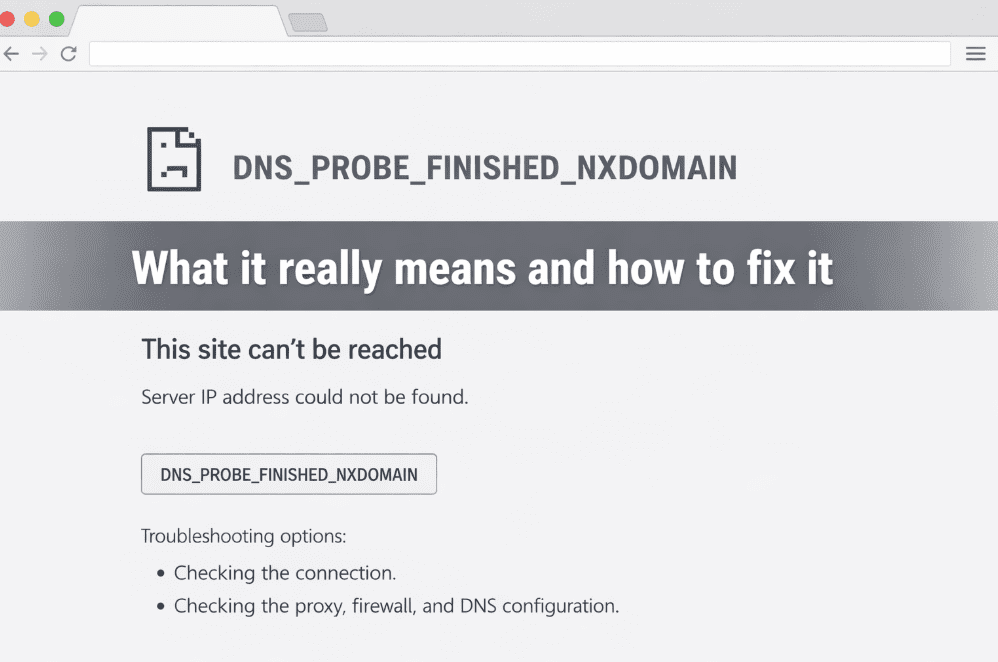
If you have ever opened a browser, typed in a perfectly normal looking URL, and been hit with DNS_PROBE_FINISHED_NXDOMAIN, it usually feels abrupt and confusing. There is no slow load, no partial page, no helpful context. One moment the browser is trying, the next it has given up entirely.
That is because this error happens very early in the request lifecycle. Nothing is loading slowly. Nothing is timing out. The browser simply cannot work out where the website is supposed to live.
Most explanations stop at surface level advice like clearing your cache or restarting your router. That sometimes works, but only when the underlying problem happens to be local. To fix this properly, you need to understand what NXDOMAIN actually means and where the failure is coming from.
Every time you visit a website, DNS sits in the middle translating human readable domain names into IP addresses. Your browser asks a question that is effectively “where does this domain live” and DNS responds with an address.
When you see NXDOMAIN, DNS has responded by saying that the domain does not exist. Literally non existent domain. The “DNS probe finished” part just means the lookup process completed. It did not time out. It did not partially fail. It completed and returned nothing useful.
From the browser’s perspective, that is the end of the road. There is no server to connect to, no request to retry, and no fallback behaviour. This is why the error feels so final. DNS has already decided the name cannot be resolved.
A website can be offline while DNS still works perfectly. In that situation, you usually see server errors, connection timeouts, or slow responses. NXDOMAIN is different because the request never reaches the server layer at all.
If DNS fails, hosting is irrelevant. Firewalls, performance, application code, and caching all become non factors. The browser cannot even begin the connection process.
This is also why NXDOMAIN is such a strong signal for crawlers. From a search engine point of view, the URL has effectively stopped existing.
In practice, NXDOMAIN almost always comes down to configuration rather than anything exotic.
One of the most common causes is simply domain registration. If a domain expires, fails to renew, or is suspended by the registrar, DNS no longer has an authoritative zone to query. The result is a clean NXDOMAIN response. This catches people out more than you would expect, especially during busy migrations or when renewal emails get missed.
Another very common cause is nameserver configuration. You can own a domain and still have broken DNS if the nameservers are missing, incorrect, or pointing to infrastructure that no longer hosts the zone. This happens a lot during hosting moves, CDN onboarding, or control panel rebuilds where DNS is assumed to exist somewhere else.
Even when nameservers are correct, the DNS zone itself can be the problem. Deleting or misconfiguring the root A record, breaking a CNAME chain, or pointing records at the wrong target can all result in NXDOMAIN responses. From the resolver’s point of view, it asked the authoritative server a question and got back “there is nothing here”.
Propagation also plays a big role. DNS responses are cached aggressively, so after a change, different resolvers can return different answers for hours or even days. One device might work perfectly while another still sees NXDOMAIN. That does not mean DNS is random. It just means different caches are expiring at different times.
Finally, local factors do matter. ISPs sometimes serve bad DNS responses, routers can cache incorrect results, VPNs can force unreliable resolvers, and security software can deliberately return NXDOMAIN to block access. In those cases, switching DNS providers appears to fix the issue, but all you have really done is bypass a broken or filtered resolver.
The key to diagnosing NXDOMAIN is to work out whether the problem is authoritative or local. The first thing to establish is whether the domain actually exists and is registered. That sounds obvious, but it is surprising how often this is the root cause. After that, nameservers should be checked at the registrar level. If those are wrong, nothing else matters.
Once that is confirmed, querying DNS directly using tools like dig or nslookup removes the browser from the equation entirely. Testing against multiple public resolvers quickly shows whether the issue is global or local. If nobody resolves the domain, the problem is authoritative DNS. If some do and some do not, you are dealing with caching or filtering. This approach is far more reliable than repeatedly clearing browser data and hoping for the best.
Browsers are not particularly intelligent when it comes to DNS. Chrome receives an NXDOMAIN response and reports it. It does not know why the domain does not exist, whether it existed yesterday, or whether the failure is temporary.
Other browsers hide the technical detail entirely and just say the page could not be found. Chrome at least tells you what DNS returned, even if it does not explain it. The bluntness of the message reflects the certainty of the failure. DNS has already made the decision.
From a technical SEO perspective, NXDOMAIN is one of the hardest failures you can introduce.
If users see NXDOMAIN, crawlers will see it too. Sustained NXDOMAIN responses are treated as strong removal signals, and URLs can fall out of the index very quickly. Internal links pointing to NXDOMAIN URLs effectively point to nowhere, which weakens site structure and trust signals. Once DNS breaks, nothing downstream can compensate for it.
There is no single checklist fix because NXDOMAIN is a symptom, not a diagnosis. The fix always depends on the underlying cause.
That said, the pattern is consistent. Verify domain registration first, or has the domain expired? Confirm nameservers next. Then check that the DNS zone actually contains valid records that point somewhere meaningful. Reduce TTLs before making planned changes, and always test using multiple resolvers rather than relying on your own device.
If DNS is fixed at the source, caches will resolve themselves naturally. Clearing browser cache rarely fixes the root problem.
It is a naming failure at the infrastructure layer. Once you stop treating it as a generic error message and start treating it as a DNS signal, it becomes much easier to diagnose and far harder to accidentally ship.If DNS cannot resolve the name, everything else is irrelevant.





Comments:
Comments are closed.